
guide
Free On-Page SEO Checklist Template (44 Checks, Excel)
Download my free on-page SEO checklist template: 44 checks, why each one matters, and a free tool to test it. Works in Excel and Google Sheets.
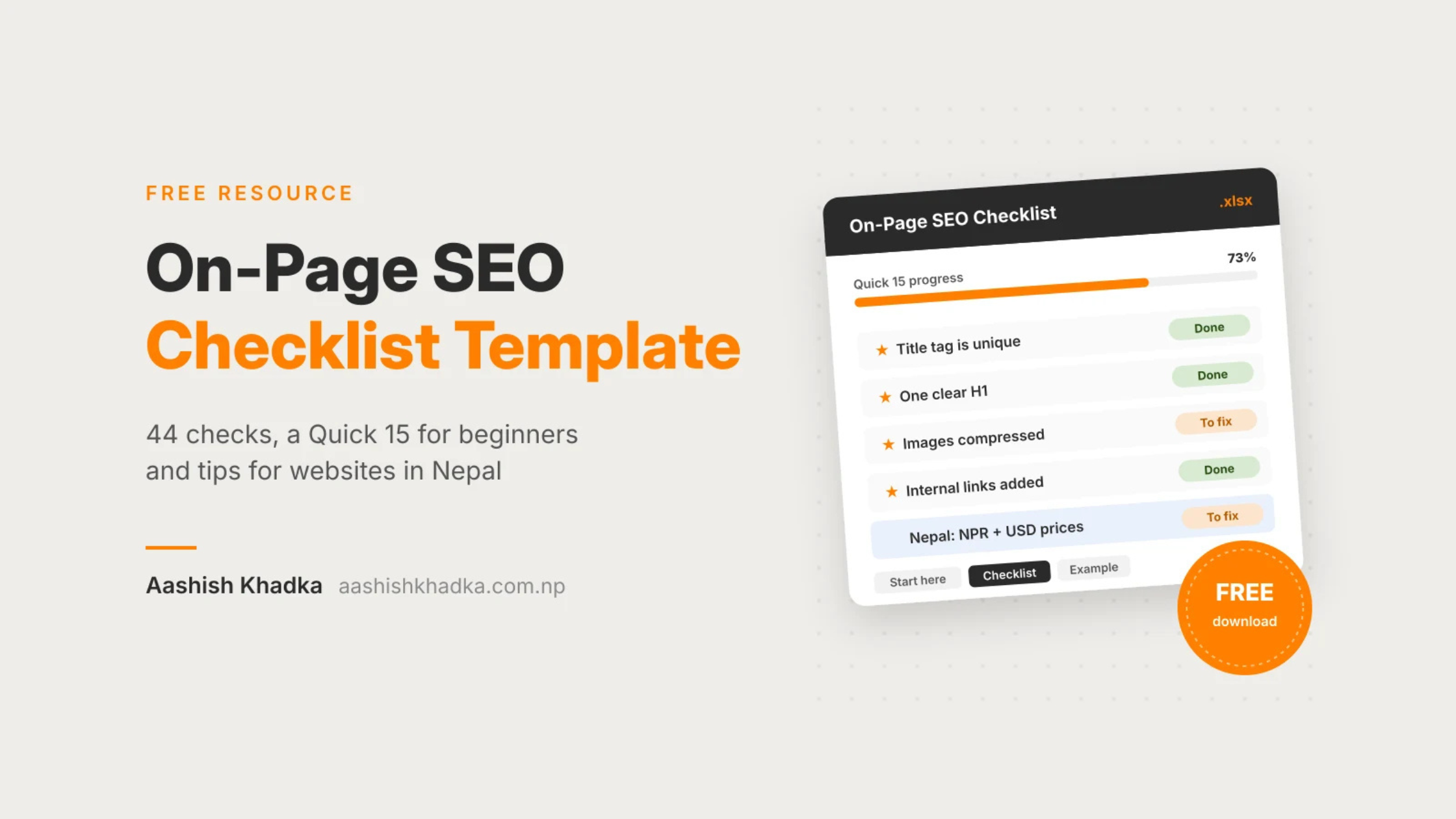
Every time I publish or fix a page, for my own site or a client's, I run it through the same list. This is that list, as a free spreadsheet: 44 on-page SEO checks, each with why it matters and a free tool to check it.
No sign-up, no email. Just download it and use it.
[Download the On-Page SEO Checklist (Excel)]
What's Inside the Checklist
Section | Checks | What it covers |
|---|---|---|
Search intent & keywords | 4 | One topic per page, matching what Google already ranks |
Title tag & meta description | 5 | Unique, clickable titles and descriptions |
URL | 3 | Short, readable URLs and the right canonical |
Headings & structure | 3 | One H1, logical H2 and H3 headings |
Content quality | 7 | Helpful, accurate, easy to read, with a real author |
Images & media | 4 | Compressed images, file names and alt text |
Links | 6 | Internal links, anchor text, broken links, sponsored links |
Technical (page level) | 6 | Indexing, sitemap, mobile, Core Web Vitals, HTTPS, schema |
Sharing | 1 | How the page looks when shared on social media |
Conversion | 3 | Calls to action, contact options, tracking |
After publishing | 2 | Search Console checks after the page goes live |
Three things make it different from most free checklists:
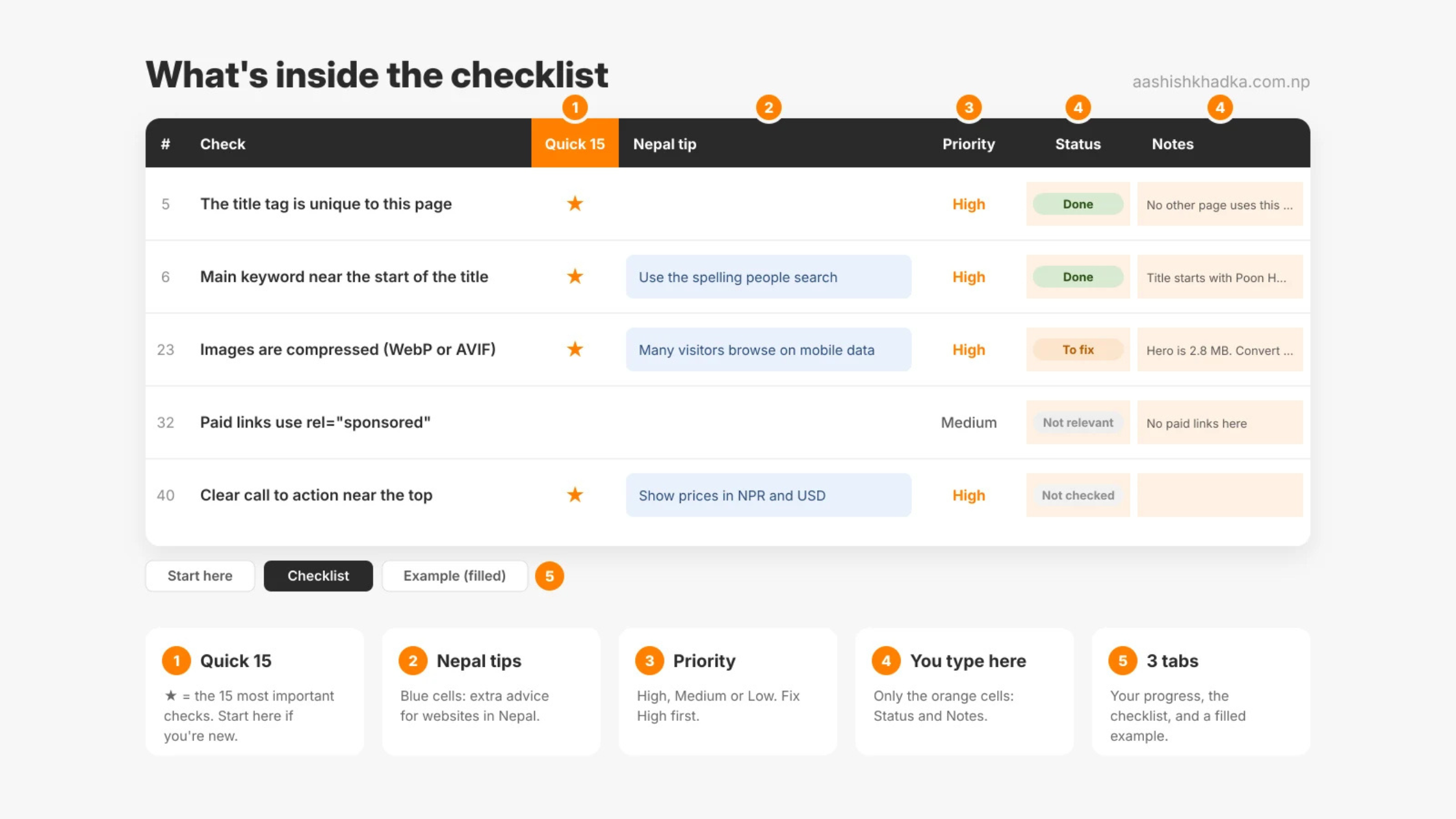
Quick 15: the 15 most important checks are marked with a ★, so beginners can start small. They're the same 15 I explain in my blog post.
Nepal tips: 12 checks have an extra tip for websites in Nepal, like Romanized Nepali searches, NPR and USD prices, WhatsApp buttons and pages that load fast on mobile data.
A filled example: a complete sample audit of a trekking page, so you can see exactly what "done" looks like.
How to Use the Checklist, Step by Step
The file has three tabs: Start here (instructions and your progress), Checklist (the one you fill in) and Example (filled) (a finished sample). Here's how to go from download to a fixed page.
Step 1: Download it and make a copy for your page
Use one copy of the file per page. Name it after the page, like poon-hill-trek-audit.xlsx, so you can find it later. Using Google Sheets? Upload the file to Google Drive, then right-click it and choose Open with > Google Sheets.
Step 2: Look at the example first
Open the Example (filled) tab. It's an audit of a made-up Poon Hill trek page: 34 checks done, 8 to fix, 2 not relevant. Read a few rows, especially the Notes column. That's the level of detail you want in your own audit.
Step 3: Fill in your page details
On the Checklist tab, fill in the three orange cells at the top: the page URL, its main keyword and today's date. Orange cells are the only ones you ever type in. Everything else is either guidance or calculates itself.
Step 4: Choose where to start
If you are… | Start with |
|---|---|
New to SEO, or short on time | The Quick 15: click the filter arrow on the Quick 15 column and pick ★ |
Checking a key page (homepage, main service, best-selling product) | All 44 checks |
Re-checking a page you audited before | Only the rows marked To fix last time |
Step 5: Go through each check
For every row, read the Check, then the Why it matters and How to check (free) columns. Open your page (and the tool, if one is named), look, then set the Status:
Status | Use it when |
|---|---|
Not checked | You haven't looked yet (every check starts here) |
Done | The page already passes this check |
To fix | It doesn't pass yet, and you know what to change |
Not relevant | The check doesn't apply to this page, like paid links on a page with none |
In Notes, write what you found and what to change, in plain words. "Hero image is 2.8 MB, convert to WebP" is useful later. "Bad" isn't.
If a row has a blue Nepal tip, read it too, especially if your customers are in Nepal or are tourists visiting Nepal.
Step 6: Fix things in priority order
Filter the Status column to To fix. Then work through them by Priority: High first, then Medium, then Low. High priority checks are the ones that most affect whether the page ranks and converts.
Step 7: Track your progress
As you change checks to Done, the Start here tab updates by itself: progress for each section, for all 44 checks, and for the Quick 15. Checks marked Not relevant don't count against you. A good goal: 100% of the Quick 15 before you publish a new page.
Step 8: Re-check it later
When you've fixed something, change its Status from To fix to Done. For important pages, run the checklist again every few months. Prices, permit rules and competitors change, and a page that was perfect last year can slip.
Example: one check, start to finish
Check 23 says "Images are compressed and sized for display." The How to check column says PageSpeed Insights. So:
Run the page through PageSpeed Insights on mobile.
It flags the hero image: a 2.8 MB JPG.
Set Status to To fix and write the note: "Hero image 2.8 MB. Convert to WebP under 200 KB."
Convert and re-upload the image, then test again.
Change Status to Done. Progress on the Start here tab goes up.
Every column explained
Column | What it tells you | Do you edit it? |
|---|---|---|
# | The check number | No |
Section | Which part of the page it's about | No |
Check | What to check | No |
Quick 15 | ★ = one of the 15 most important checks | No |
Why it matters | Why this check affects rankings or visitors | No |
How to check (free) | The free tool or quick method to use | No |
Nepal tip | Extra advice for websites in Nepal (blue cells) | No |
Priority | High, Medium or Low: what to fix first | No |
Status | Not checked, Done, To fix or Not relevant | Yes |
Notes | What you found and what to change | Yes |
What I Left Out on Purpose
Many free SEO checklists still include advice Google doesn't use. I left these out:
Old advice | Why it's not in this list |
|---|---|
Keyword density (repeat the keyword X%) | Google understands topics; repeating a keyword doesn't help and reads badly |
"LSI keywords" | Google has said it doesn't use them; related terms matter, but not as a formula |
Minimum word count | There's no ideal length. The right length is whatever fully answers the search |
Hitting a plugin's green score | Yoast or Rank Math scores are helpful hints, not Google signals |
Google's Mobile-Friendly Test | Google retired it in December 2023. Use your phone and Lighthouse instead |
Want Each Check Explained?
The spreadsheet tells you what to check. My blog post explains the 15 most important ones with before-and-after examples from a real trekking page. [On-Page SEO Checklist: 15 Things to Optimise on Every Page]
If you're still choosing what keyword the page should target, start with keyword research first. [How to Do Keyword Research for Free]
FAQs
Is this on-page SEO checklist really free?
Yes. No email, no sign-up. Download it, copy it and use it for as many pages as you like, including client work.
Does it work in Google Sheets?
Yes. Upload the file to Google Drive and open it with Google Sheets. The checklist and progress counts work the same way.
How often should I use it?
Every time you publish a new page, and when you update an important one. For key pages, a quick re-check every few months catches things that slipped.
Can I use it for an SEO audit of a whole website?
It's built for one page at a time. For a full site audit, start with your most important pages: homepage, main services or products, and top blog posts.
Need help running your key pages through it? Get in touch.
Work with me
Let's grow your business.
Tell me where your business is today and where you want it to be. I'll tell you honestly how I can help.