You've done your keyword research. You know what people search for. Now what?
Now you have to show Google, clearly, that your page is the best answer for that search. That's on-page SEO: everything you optimise on the page itself, from the title people see in Google to the headings, the words, the images and the links inside your content.
The good news: on-page SEO is the part of SEO you have the most control over. No waiting for backlinks, no technical setup. Just you, your page and a checklist.
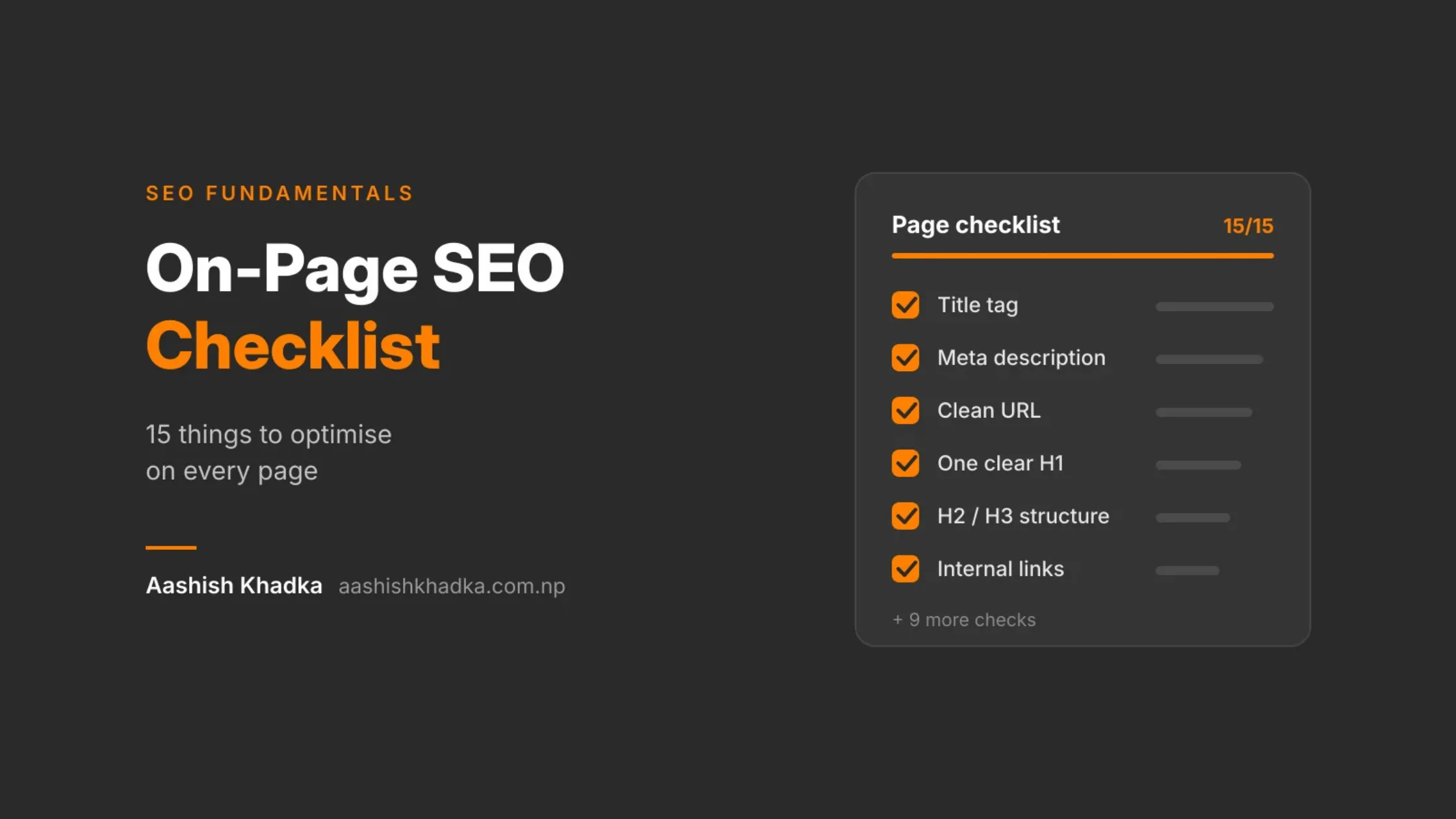
In this guide, I'll walk you through 15 on-page SEO checks, each with a simple before-and-after example. At the end, there's a quick checklist table you can use every time you publish or update a page.
If you haven't picked your keywords yet, do that first. [How to Do Keyword Research for Free]
On-page vs technical vs off-page: where this fits
Type | Where the work happens | Examples |
|---|---|---|
On-page SEO | On each individual page | Title, headings, content, images, internal links |
Technical SEO | Across the whole site's setup | Speed, mobile, indexing, HTTPS |
Off-page SEO | Outside your website | Backlinks, reviews, mentions |
The 15-Point On-Page SEO Checklist
To keep things practical, I'll use one example throughout: a page for a trekking company selling a Poon Hill trek. The same checks work for any page: a service, a product, a blog post or your homepage.
1. Give every page one clear topic and match the search intent
Before touching anything else, ask: what is this page about, and what does the searcher want?
Before | After |
|---|---|
One "Treks" page listing 20 treks with a paragraph each | A separate page for each trek, each answering one search like "Poon Hill trek" |
Search your main keyword and look at page one. If Google shows detailed trip pages, yours should be a detailed trip page too. Matching intent matters more than any other item on this list.
2. Write a title tag people want to click
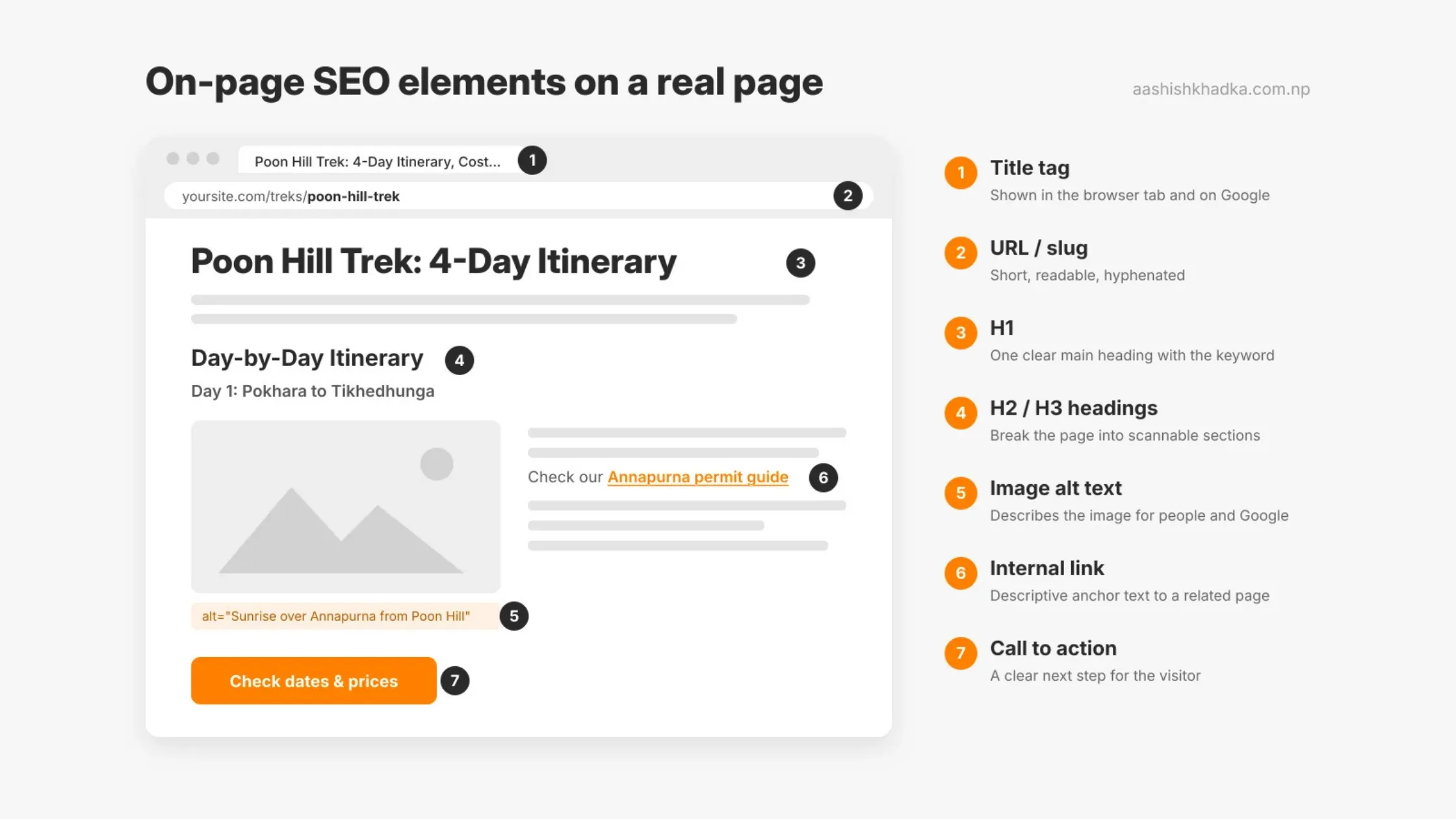
The title tag is the clickable blue headline in Google results. It's one of the strongest on-page signals and your first chance to win the click.
Before | After |
|---|---|
Home | ABC Treks | Poon Hill Trek: 4-Day Itinerary, Cost & Best Time | ABC Treks |
Good title tags:
Put the main keyword near the start
Describe exactly what the page offers
Are unique for every page
Stay roughly within 50–60 characters, so they don't get cut off on most screens
Good to know: Google sometimes rewrites titles in results if it thinks another wording matches the search better. Clear, accurate titles get rewritten less.
3. Write a meta description that sells the click
The meta description is the short text under the title in Google. It doesn't directly affect rankings, but it strongly affects whether people click.
Before | After |
|---|---|
(empty, so Google picks random text) | Trek to Poon Hill in 4 days from Pokhara. Full itinerary, costs, permits and the best months for sunrise views. Small groups, local guides. |
Aim for around 150–160 characters, include the keyword naturally, and give a reason to click. Like titles, Google may show different text if it fits the search better.
4. Use a short, readable URL
Before | After |
|---|---|
/index.php?page_id=482&cat=7 | /treks/poon-hill-trek |
Use lowercase words separated by hyphens, include the main topic, and keep it short. Set the URL right when you publish, because changing it later needs a redirect.
5. Use one clear H1
The H1 is the main heading on the page. Visitors read it to confirm they're in the right place, and Google uses it to understand the topic.
Before | After |
|---|---|
Welcome to Our Website | Poon Hill Trek: 4-Day Itinerary From Pokhara |
Use one H1 per page, include the main keyword, and make it match what the title tag promised.
6. Structure content with H2 and H3 headings
Headings break your content into sections, like chapters in a book. They help readers skim and help Google (and AI tools) understand each part.
Heading | Use it for | Example |
|---|---|---|
H1 | The page's main title (one per page) | Poon Hill Trek: 4-Day Itinerary From Pokhara |
H2 | Main sections | Day-by-Day Itinerary · Cost · Best Time to Go · FAQs |
H3 | Sub-sections inside an H2 | Day 1: Pokhara to Tikhedhunga · Day 2: Tikhedhunga to Ghorepani |
Don't skip levels (H1 straight to H3), and don't use headings just to make text bigger. Many readers only read the headings first, so make each one meaningful.
7. Use your keyword naturally, especially early
Mention your main keyword in the first paragraph or two, so readers and Google immediately know the topic. After that, write naturally.
Before (stuffed) | After (natural) |
|---|---|
"Poon Hill trek is the best Poon Hill trek. Book Poon Hill trek with our Poon Hill trek team." | "The Poon Hill trek is a short, scenic trek from Pokhara, famous for its sunrise view over the Annapurna range." |
Use variations and related words too: "Ghorepani Poon Hill", "4-day trek from Pokhara", "Annapurna sunrise". Google understands topics, not just exact phrases.
8. Make the content genuinely the best answer
This is the most important on-page factor. Google's systems are built to reward content that's genuinely helpful. Ask yourself:
Does it answer the question fully, without making people search again?
Does it include details only someone with real experience would know?
Is it accurate and up to date?
Is it easier to understand than what currently ranks?
Before | After |
|---|---|
A 150-word description and a price | Day-by-day itinerary, altitude per day, honest difficulty, total cost breakdown, permits, best months, what's included and excluded, real photos, FAQs |
The best answer doesn't mean the longest. It means the most complete and useful for that search. I go deeper on this in my guide on writing content Google trusts. [How to Write SEO Content Google Trusts]
9. Add internal links to related pages
Internal links are links from one page on your site to another. They help visitors find more, and help Google discover pages and understand how they connect.
Before | After |
|---|---|
No links inside the content | Links to "Ghorepani accommodation guide", "Annapurna permits explained" and "Poon Hill vs Mardi Himal" where they naturally fit |
Use descriptive anchor text (the clickable words): "read our Annapurna permit guide", not "click here". Every important page should get links from a few related pages. I cover this fully in my internal linking guide. [Internal Linking for SEO]
10. Link out to trustworthy sources when useful
Linking to official or expert sources (like the Nepal Tourism Board for permit rules) helps readers check facts and shows you've done your homework. Don't overdo it, and only link where it genuinely helps.
11. Optimise your images
Images make pages more useful, but heavy images slow your site down.
Check | Before | After |
|---|---|---|
File name | IMG_2034.jpg | poon-hill-sunrise-annapurna.webp |
Alt text | (empty) | Sunrise over the Annapurna range from Poon Hill viewpoint |
Format and size | 5 MB JPG from a camera | Compressed WebP, under ~150 KB |
Alt text describes the image for people using screen readers and helps Google understand it. Describe what's actually in the image; don't stuff keywords. Use real photos where you can. Stock photos don't build trust.
12. Make it easy to read, especially on mobile
Most people will read your page on a phone. Make it easy to skim:
Short paragraphs (2–4 lines on mobile)
Bullet points and tables for lists and comparisons
Clear headings every few paragraphs
Readable font size and enough contrast
The answer near the top, then details
Check how your page looks on mobile with my guide. [Is Your Website Mobile-Friendly? 3 Easy Ways to Test It]
13. Add schema markup where it fits
Schema markup is code that tells search engines exactly what your content is: an article, a product, a local business, a tour. It can help your page stand out with extra details in results, and helps AI tools understand your page.
For our trek page, that could mean marking up the trip details, price and reviews. I explain schema with copy-ready examples in a separate post. [Schema Markup Explained]
14. Show who wrote it and when
Readers (and Google) trust content more when they know who's behind it.
Before | After |
|---|---|
No author, no date | "Written by [Name], licensed trekking guide with 10 years on the Annapurna trails · Last updated: [date]" |
Add an author name linked to a real author or About page, and a "last updated" date. Then actually keep important pages updated.
15. Make the next step obvious
On-page SEO isn't only about ranking. Once someone lands, the page should help them act.
Before | After |
|---|---|
A contact form hidden at the bottom of a different page | A clear "Check dates and prices" button near the top and again after the itinerary, plus WhatsApp |
A page that ranks but doesn't convert is only half done.
Your Quick On-Page SEO Checklist
Copy this and run through it every time you publish or update a page:
# | Check | Done? |
|---|---|---|
1 | Page has one clear topic that matches search intent | ☐ |
2 | Title tag is unique, clear, keyword near the start, about 50–60 characters | ☐ |
3 | Meta description gives a reason to click, about 150–160 characters | ☐ |
4 | URL is short, lowercase and hyphenated | ☐ |
5 | One H1 that matches the title's promise | ☐ |
6 | Logical H2/H3 structure, no skipped levels | ☐ |
7 | Main keyword in the opening, variations used naturally | ☐ |
8 | Content fully answers the search, with real details | ☐ |
9 | Internal links to related pages, with descriptive anchor text | ☐ |
10 | Links to trustworthy sources where useful | ☐ |
11 | Images compressed, named well, with alt text | ☐ |
12 | Easy to read on mobile: short paragraphs, lists, tables | ☐ |
13 | Schema markup added where it fits | ☐ |
14 | Author and "last updated" date shown | ☐ |
15 | Clear call to action | ☐ |
Common On-Page SEO Mistakes
Mistake | What happens | Fix |
|---|---|---|
Same title on many pages | Google can't tell pages apart | Write a unique title for every page |
Keyword stuffing | Content reads badly and can be treated as spam | Write for people; use variations |
Several H1s, or headings used for styling | Confusing structure | One H1, then H2s and H3s in order |
Thin pages with a few lines of text | Nothing worth ranking | Answer the question fully |
No internal links | Pages are hard to find, for people and Google | Link related pages together |
Heavy images | Slow pages, especially on mobile data | Compress and use WebP |
Never updating old pages | Content goes stale and slips | Review key pages every few months |
FAQs About On-Page SEO
What is on-page SEO in simple words?
It's everything you optimise on the page itself to help it rank and help visitors: the title, headings, content, images, links and structure.
What is the most important on-page SEO factor?
Helpful content that matches search intent. Titles, headings and links help Google understand your page, but the content is what makes it worth ranking.
How long should a title tag be?
About 50–60 characters is a good guide so it doesn't get cut off. Google measures by width, not exact characters, so keep the important words at the start.
Do meta descriptions affect rankings?
Not directly. But a good description can get more people to click your result, which is the whole point of ranking.
How many keywords should I use on a page?
One main keyword plus related variations. Don't count keyword repetitions. Write naturally about the topic and the variations will appear on their own.
Key SEO Terms in This Post
Term | Meaning |
|---|---|
On-page SEO | Optimising elements on the page itself |
Title tag | The page title shown as the clickable headline in Google |
Meta description | The short summary under the title in results |
H1, H2, H3 | Heading levels that structure your content |
Slug | The readable part of the URL, like /poon-hill-trek |
Alt text | A text description of an image |
Internal link | A link to another page on your own site |
Anchor text | The clickable words of a link |
Schema markup | Code that labels your content for search engines |
Wrapping Up
On-page SEO comes down to one idea: make it obvious to both people and Google what your page is about, and make it the best answer. The 15 checks above turn that idea into a routine.
Start with your most important pages, run them through the checklist, and fix the gaps. Then make it a habit for every new page.
Next in this series: what happens outside your website. [Off-Page SEO: 9 Ways to Build Authority Without Buying Backlinks]
Want me to review your key pages? Get in touch.