On this page
- What Are Internal Links?
- Why Internal Links Matter for SEO
- Site Structure: Keep It Flat and Logical
- Topic Clusters: The Smart Way to Organise Content
- Anchor Text: Choose Your Link Words Carefully
- How Many Internal Links Should a Page Have?
- Your Simple Internal Linking Plan (Copy This)
- Find and Fix Orphan Pages
- Free Tools to Check Internal Links
- Internal Linking Mistakes to Avoid
- FAQs About Internal Linking
- Key SEO Terms in This Post
- Wrapping Up
You can write the best page on the internet, but if nothing links to it, it's like a room in a house with no door. Visitors can't find it, and neither can Google.
Internal linking is how you build those doors. It's one of the most underrated parts of SEO: it's free, it's completely in your control, and most websites barely use it.
In this guide, I'll explain why internal links matter, how to structure your site so every page is easy to reach, how to write good anchor text, and a simple linking plan you can copy, no matter how small your site is.
What Are Internal Links?
An internal link is a link from one page on your website to another page on the same website.
Link type | Goes to | Example |
|---|---|---|
Internal link | Another page on your own site | Your blog post linking to your service page |
External link | A page on a different site | Your blog linking to a government permit page |
Backlink | Your site, from a different site | A news site linking to your article |
Internal links appear in three main places: navigation (menus and footer), contextual links (inside your content), and helper links (breadcrumbs, related posts).
Why Internal Links Matter for SEO
Reason | What happens |
|---|---|
Discovery | Google finds pages by following links. A page with no internal links may never be found or may be crawled rarely. |
Understanding | The words you use in a link tell Google what the linked page is about. |
Importance | Pages that many of your own pages link to look more important to Google. |
Authority flow | When a page earns backlinks, internal links help share that strength with related pages. |
Visitors stay longer | Helpful links guide readers to the next useful page instead of back to Google. |
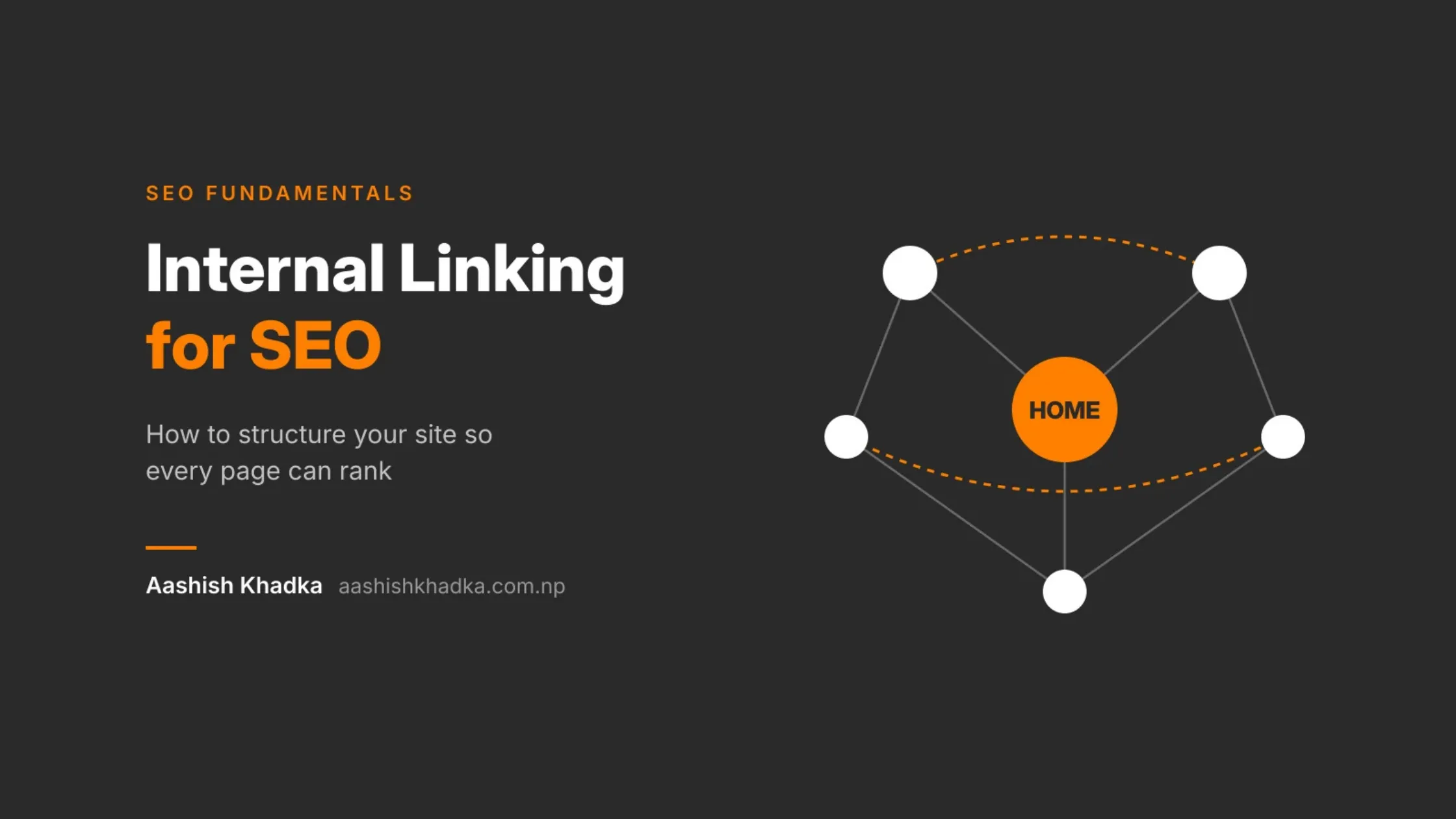
Think of it like a city map. Main roads (your menu) connect the big areas. Side streets (contextual links) connect related places. A shop with no street leading to it gets no visitors.
Site Structure: Keep It Flat and Logical
Site structure is how your pages are organised and connected. The goal is simple: every important page should be reachable in a few clicks from the homepage, and related pages should sit together.
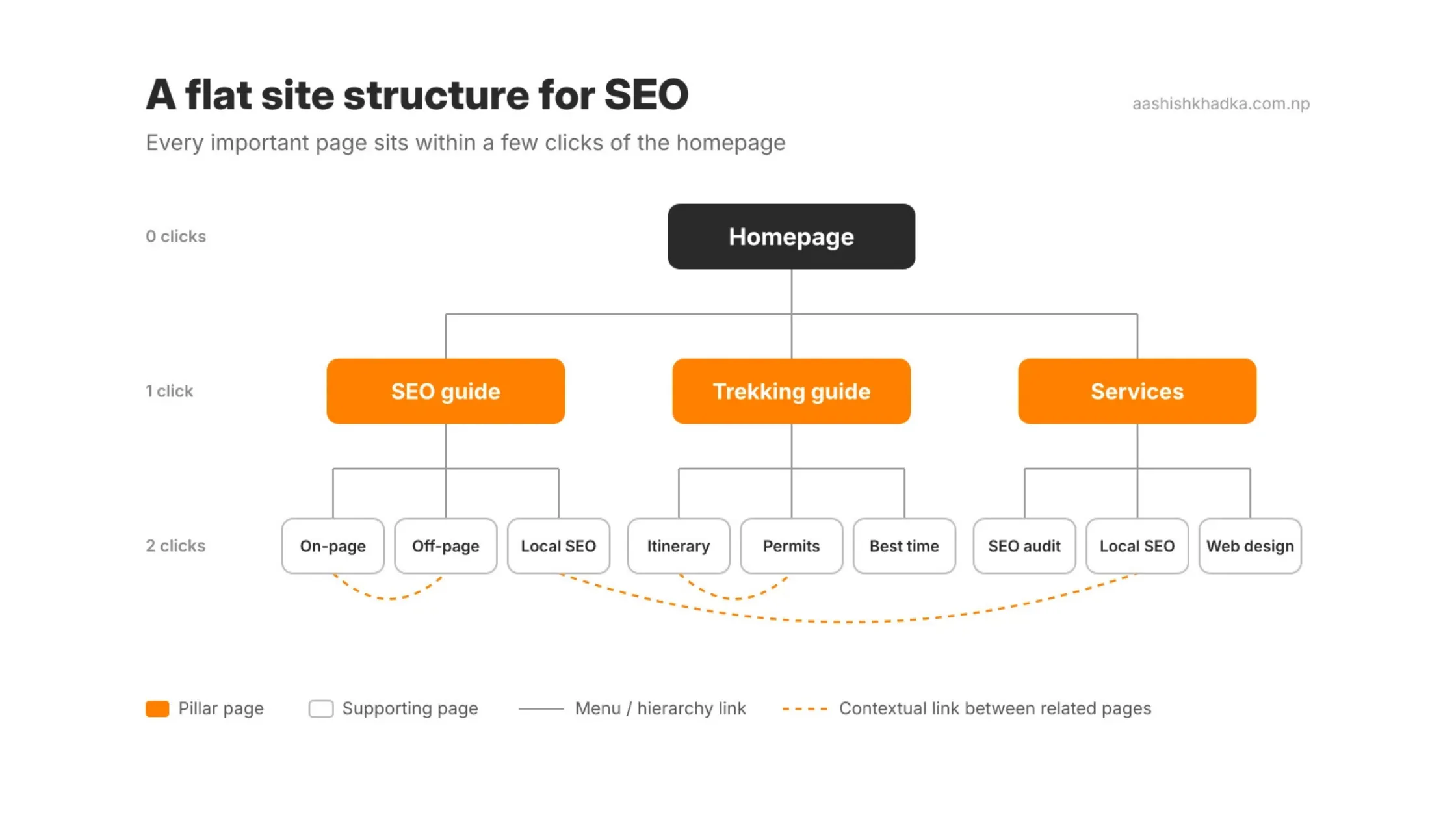
Flat structure (good) | Deep structure (bad) |
|---|---|
Homepage → Category → Page | Homepage → Category → Sub-category → Archive → Page 3 → Post |
Important pages within about 3 clicks | Pages buried 5–6 clicks deep |
Easy for people and Google to explore | Deep pages get crawled less and seem less important |
Your URLs can reflect this too, for example /seo/local-seo/ and /seo/on-page-seo/. Choose a structure early, because changing URLs later means setting up redirects.
Topic Clusters: The Smart Way to Organise Content
A topic cluster is a group of pages about one subject, connected together:
One pillar page: a broad, complete guide to the topic
Several supporting pages: each going deep on one part of that topic
Links connecting them: supporting pages link up to the pillar, the pillar links down to each supporting page, and related supporting pages link to each other
Part | Example (SEO cluster) |
|---|---|
Pillar page | What is SEO and How Does It Work? |
Supporting page | How to Do Keyword Research for Free |
Supporting page | On-Page SEO Checklist |
Supporting page | Off-Page SEO: 9 Ways to Build Authority |
Supporting page | Local SEO Guide |
Why this works: it shows Google you cover a topic in depth, not with one random article. That's often called topical authority, and it can help every page in the cluster perform better. It also makes your site far easier for readers to explore.
Anchor Text: Choose Your Link Words Carefully
Anchor text is the clickable text of a link. It tells both readers and Google what to expect on the other side.
Anchor type | Example | Use it? |
|---|---|---|
Descriptive | "read our guide to Annapurna trekking permits" | ✅ Best choice |
Partial match | "permit guide for the Annapurna region" | ✅ Natural and varied |
Exact keyword | "Annapurna permits" | ✅ Fine, but don't use the same words every time |
Generic | "click here", "read more" | ❌ Tells nobody anything |
Naked URL | "example.com/permits" | ⚠️ OK occasionally |
Keep anchor text natural and readable within the sentence. Vary the wording when several pages link to the same target.
How Many Internal Links Should a Page Have?
There's no magic number. Use this as a practical guide:
Link where it genuinely helps the reader take the next step
In a typical blog post, a handful of contextual links to closely related pages works well
Every important page should receive links from several related pages
Avoid stuffing dozens of links into one paragraph or footer
One useful link that a reader actually clicks beats ten that they ignore.
Your Simple Internal Linking Plan (Copy This)
Step 1: List your important pages
Write down your money pages (services, products, booking pages) and your best content.
Step 2: Group them into topics
Put related pages together. Each group becomes a cluster with one pillar page.
Step 3: Link each cluster
From | To | Rule |
|---|---|---|
Every supporting page | Its pillar page | Always, near the start |
Pillar page | Every supporting page | Update each time you publish a new one |
Supporting page | 2–3 related supporting pages | Where it naturally fits |
Blog posts | Relevant service or product page | When the reader might want to act |
Step 4: Update old posts when you publish new ones
This is the step everyone forgets. When you publish a new post, go back to 2–3 older related posts and add a link to the new one. That's how new pages get found and gain strength faster.
Step 5: Check your work every few months
Look for orphan pages, broken links and important pages with too few links pointing to them.
Find and Fix Orphan Pages
An orphan page is a page that no other page on your site links to. Visitors can't reach it by browsing, and Google may struggle to find it or think it's unimportant.
How to find them: compare the list of pages in your sitemap with the pages a crawler finds by following links. Any page in the sitemap that the crawler never reached is likely an orphan.
How to fix: link to it from its pillar page and from 1–2 related pages, or remove it if it's no longer useful.
Free Tools to Check Internal Links
Tool | What it shows |
|---|---|
Google Search Console → Links | Your most internally linked pages |
Screaming Frog SEO Spider (free up to 500 URLs) | Every internal link, broken links, click depth, pages with few links |
Your CMS or a simple spreadsheet | A manual map of which pages link where, enough for small sites |
Internal Linking Mistakes to Avoid
Mistake | Fix |
|---|---|
Relying only on menus | Add contextual links inside your content |
"Click here" anchor text | Use descriptive words |
Linking only to the homepage | Link to the most relevant specific page |
Broken internal links after URL changes | Update links and set up redirects |
Important pages buried deep | Link them from the homepage, menu or pillar pages |
Never updating old posts | Add links to new posts from older related ones |
FAQs About Internal Linking
What is internal linking in SEO?
Linking from one page on your website to another page on the same website, so visitors and search engines can find and understand your content.
Do internal links help rankings?
Yes, indirectly but meaningfully. They help Google discover pages, understand what they're about, and see which ones are most important, and they can pass strength from well-linked pages to others.
What's the difference between internal links and backlinks?
Internal links connect pages on your own site; you control them fully. Backlinks come from other websites to yours; you have to earn them.
Should internal links open in a new tab?
Usually no. Readers expect internal links to open in the same tab. New tabs are better for external links or downloads.
How do I find pages with no internal links?
Compare your sitemap with a crawl of your site using a tool like Screaming Frog. Pages in the sitemap that the crawl didn't reach are likely orphans.
Key SEO Terms in This Post
Term | Meaning |
|---|---|
Internal link | A link to another page on your own website |
Site structure | How your pages are organised and connected |
Click depth | How many clicks a page is from the homepage |
Topic cluster | A pillar page plus related supporting pages, linked together |
Pillar page | A broad, complete guide that a cluster is built around |
Anchor text | The clickable words of a link |
Orphan page | A page no other page on your site links to |
Breadcrumbs | A trail like Home › SEO › Local SEO showing where a page sits |
Topical authority | Being seen as an expert source on a whole topic |
Wrapping Up
Internal linking is the cheapest SEO improvement you can make: organise pages into clear topics, keep important pages close to the homepage, link related pages with descriptive words, and update old posts when you publish new ones.
Do this consistently and every new page you publish makes the rest of your site stronger, not just itself.
Next in the series: how to help Google understand your content even better with structured data. [Schema Markup Explained]
Want help mapping out your site's structure? Get in touch.