On this page
- What is Schema Markup?
- What Schema Does (and Doesn't Do)
- Which Rich Results Still Show in Google (2026)
- Copy-Ready JSON-LD Examples
- How to Add Schema to Your Site
- How to Test Your Schema
- The Rules: Don't Get Your Schema Ignored
- Common Schema Mistakes
- FAQs About Schema Markup
- Key SEO Terms in This Post
- Wrapping Up
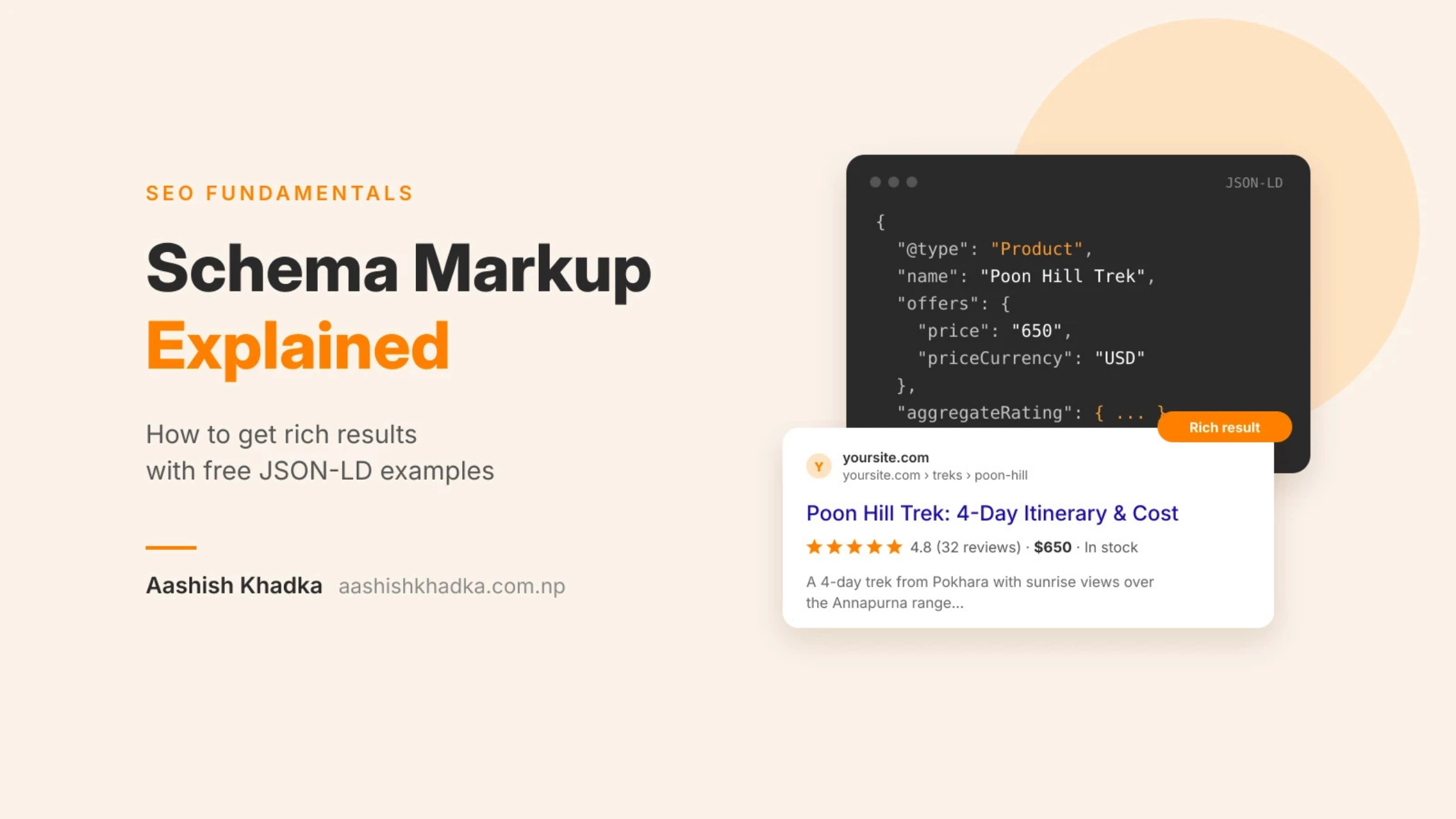
Some Google results look plain: a blue title and two lines of text. Others show star ratings, prices, event dates or a breadcrumb trail. Those extras usually come from one thing: schema markup.
Schema sounds technical, and the code can look scary at first. But the idea is simple: it's a way of labelling your content so search engines know exactly what each piece of information is.
In this guide, I'll explain what schema is, what it can and can't do for you, which rich results Google still shows today (a few popular ones have been retired), and give you copy-ready code examples you can adapt for your own site.
What is Schema Markup?
Schema markup (also called structured data) is code you add to a page that describes its content in a standard format search engines understand. The vocabulary comes from Schema.org, a shared standard used by Google, Bing and others.
Here's the idea in plain words. Your page might say:
ABC Guesthouse, Lakeside, Pokhara. Open 24 hours. Call 98XXXXXXXX.
A human understands that instantly. Schema spells it out for machines: "This is a LodgingBusiness. Its name is ABC Guesthouse. Its address is Lakeside, Pokhara. Its telephone is…"
The three formats (use JSON-LD)
Format | How it works | Recommended? |
|---|---|---|
JSON-LD | A separate block of code, usually in the page head | ✅ Yes: Google recommends it and it's easiest to manage |
Microdata | Attributes added inside your HTML tags | Works, but messier |
RDFa | Similar to microdata | Rarely needed |
What Schema Does (and Doesn't Do)
Schema can… | Schema can't… |
|---|---|
Make your page eligible for rich results like stars, prices and breadcrumbs | Guarantee rich results: Google decides whether to show them |
Help Google understand who you are, what you sell and how pages relate | Directly boost rankings by itself |
Help AI tools and other search engines understand your content | Fix weak content |
Make results more eye-catching, which can improve clicks | Work if it describes things that aren't on the page |
The honest summary: schema is a helper, not a ranking hack. It's worth adding because it improves how search engines understand and display you.
Which Rich Results Still Show in Google (2026)
This is where many older guides are now wrong. Google has been simplifying its search results, and some popular rich results no longer appear.
Retired or no longer shown
Rich result | What happened |
|---|---|
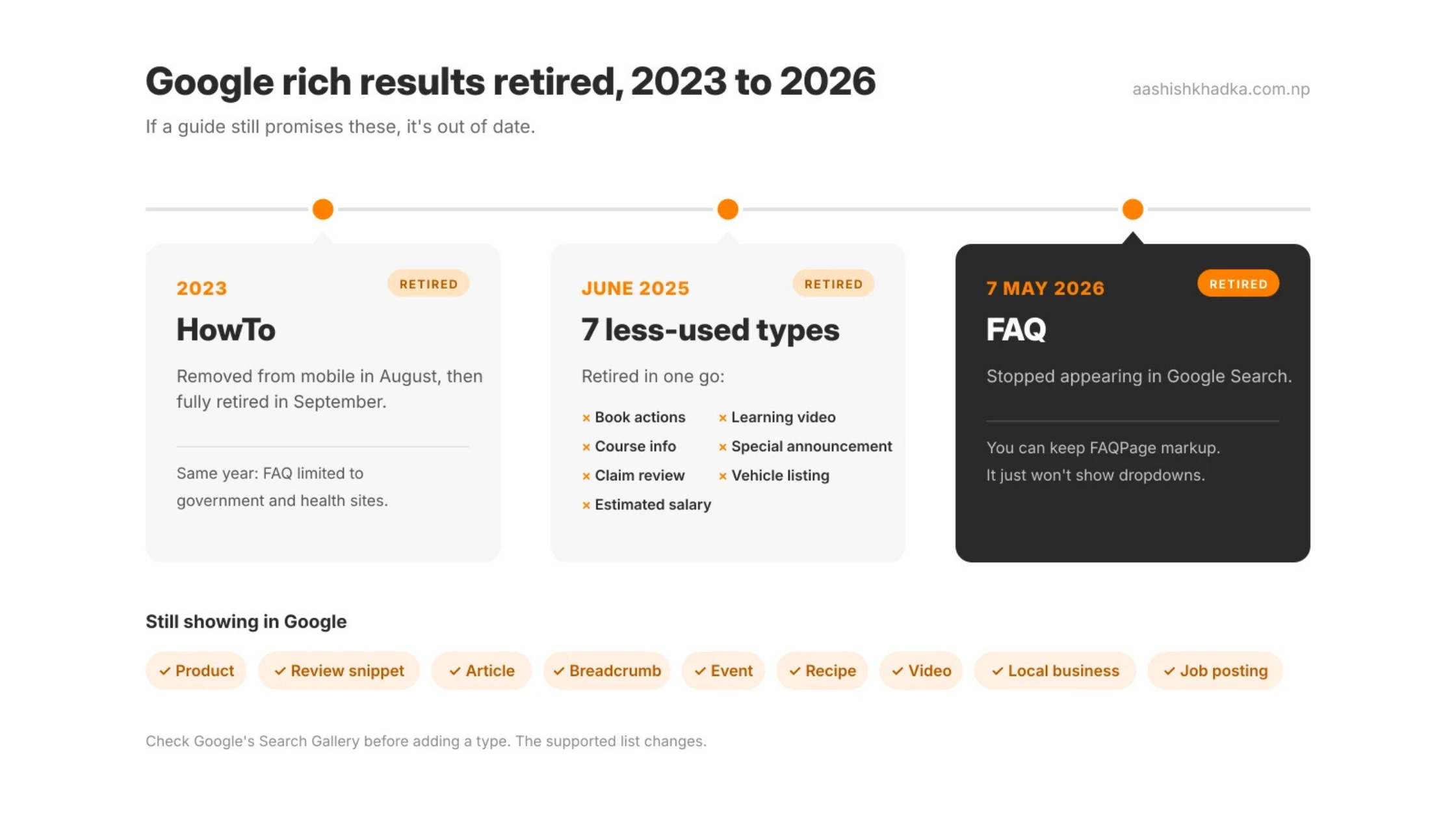
HowTo | Removed from mobile, then fully retired in September 2023 |
FAQ | Limited to authoritative government and health sites in 2023; stopped appearing in Google Search on 7 May 2026 |
Seven less-used types (including course info and learning video) | Retired in June 2025 |
Good to know: you don't have to remove FAQ or HowTo markup. Google has said unused structured data doesn't cause problems, other search engines may still read it, and it can still help machines understand your page. It just won't create those dropdowns in Google any more.
Still commonly supported
Schema type | Can show in Google as | Good for |
|---|---|---|
Product | Price, availability, review stars | Online shops |
Review snippet | Star ratings (with rules, see below) | Products, recipes, books, and more |
Article | Better article display, headline and date | Blogs, news |
BreadcrumbList | A breadcrumb trail instead of a raw URL | Almost any site |
Event | Dates, venue, ticket info | Events, workshops, festivals |
Recipe | Image, cook time, ratings | Food sites |
Video | Thumbnail, duration, key moments | Video pages |
Organization / LocalBusiness | Helps Google understand your business details and logo | Every business site |
JobPosting | Appears in Google's job listings | Companies hiring |
Google's supported list changes over time. Before adding a type, check Google's official Search Gallery to confirm it's still supported.
Copy-Ready JSON-LD Examples
Replace everything in [square brackets] with your real details. Only include information that's actually visible on your page.
1. LocalBusiness (for your homepage or contact page)
Use the most specific type that fits, for example Restaurant, Dentist, LodgingBusiness or ProfessionalService.
{
  "@context": "https://schema.org",
  "@type": "LocalBusiness",
  "name": "[Your Business Name]",
  "url": "https://[yourwebsite.com]",
  "logo": "https://[yourwebsite.com]/logo.png",
  "image": "https://[yourwebsite.com]/shop-front.jpg",
  "telephone": "+977-[number]",
  "address": {
    "@type": "PostalAddress",
    "streetAddress": "[Street / landmark]",
    "addressLocality": "[City]",
    "addressRegion": "[Province]",
    "addressCountry": "NP"
  },
  "geo": {
    "@type": "GeoCoordinates",
    "latitude": [latitude],
    "longitude": [longitude]
  },
  "openingHours": "Mo-Fr 09:00-18:00",
  "sameAs": [
    "https://www.facebook.com/[yourpage]",
    "https://www.instagram.com/[yourhandle]"
  ]
}
2. Article (for blog posts)
{
  "@context": "https://schema.org",
  "@type": "Article",
  "headline": "[Your Post Title]",
  "image": "https://[yourwebsite.com]/featured-image.jpg",
  "datePublished": "[2026-11-01]",
  "dateModified": "[2026-11-01]",
  "author": {
    "@type": "Person",
    "name": "[Author Name]",
    "url": "https://[yourwebsite.com]/about/"
  },
  "publisher": {
    "@type": "Organization",
    "name": "[Your Business Name]",
    "logo": {
      "@type": "ImageObject",
      "url": "https://[yourwebsite.com]/logo.png"
    }
  }
}
3. BreadcrumbList (for almost any page)
{
  "@context": "https://schema.org",
  "@type": "BreadcrumbList",
  "itemListElement": [
    { "@type": "ListItem", "position": 1, "name": "Home", "item": "https://[yourwebsite.com]/" },
    { "@type": "ListItem", "position": 2, "name": "Blog", "item": "https://[yourwebsite.com]/blog/" },
    { "@type": "ListItem", "position": 3, "name": "[Post Title]" }
  ]
}
4. Product (for product or bookable package pages)
Only add aggregateRating if real customer reviews are shown on that same page.
{
  "@context": "https://schema.org",
  "@type": "Product",
  "name": "[Product or Package Name]",
  "image": "https://[yourwebsite.com]/product.jpg",
  "description": "[Short description]",
  "offers": {
    "@type": "Offer",
    "price": "[650]",
    "priceCurrency": "[USD]",
    "availability": "https://schema.org/InStock"
  },
  "aggregateRating": {
    "@type": "AggregateRating",
    "ratingValue": "[4.8]",
    "reviewCount": "[32]"
  }
}
For travel companies, Schema.org also has types like TouristTrip and TravelAgency. They help describe your business and trips clearly, even when they don't produce a special rich result.
How to Add Schema to Your Site
Your website | Easiest way |
|---|---|
WordPress | An SEO plugin (like Yoast or Rank Math) adds basic schema; add custom JSON-LD with a code block or plugin |
Shopify, Wix, Squarespace | Basic product and business schema is often built in; check what's already there |
Custom-built site | Add the JSON-LD inside a |
How to Test Your Schema
Always test before and after publishing:
Google Rich Results Test: paste your URL or code to see which Google rich results the page is eligible for, and any errors.
Schema Markup Validator (validator.schema.org): checks your code against the full Schema.org standard, including types Google doesn't show as rich results.
Google Search Console: after publishing, check the enhancement reports for errors across your whole site.
The Rules: Don't Get Your Schema Ignored
Rule | Example of breaking it |
|---|---|
Only mark up content that's visible on the page | Adding review stars that aren't shown anywhere on the page |
Keep it accurate and up to date | Old prices in schema, new prices on the page |
Don't mark up fake or misleading information | Invented ratings or reviews |
Use the most specific type that fits | Using "Thing" instead of "Restaurant" |
No self-serving review stars for your own business | Marking up reviews of your own business on your own LocalBusiness page; Google doesn't show these as stars |
Breaking these rules can mean Google ignores your markup or, in serious cases, applies a manual action.
Common Schema Mistakes
Mistake | Fix |
|---|---|
Copy-pasting examples without changing placeholder details | Replace every field with your real information |
Broken code (a missing comma or bracket) | Test every change in the Rich Results Test |
Expecting schema to boost rankings on its own | Treat it as a helper alongside good content |
Still chasing FAQ or HowTo rich results | They no longer show in Google; focus on supported types |
Different details in schema, website and Google Business Profile | Keep your business details identical everywhere |
FAQs About Schema Markup
Is schema markup a ranking factor?
Not directly. Schema helps Google understand your page and can make it eligible for rich results, which can improve clicks. But it won't make a weak page rank on its own.
Do FAQ rich results still work?
No. Google stopped showing FAQ rich results in May 2026. You can keep FAQPage markup since it doesn't cause problems and other systems may read it, but it won't produce dropdowns in Google.
Do I need a developer to add schema?
Not always. Many website platforms and SEO plugins add basic schema automatically. For custom types, a developer or a careful copy of the examples above will do.
Does schema help with AI search?
It can help machines understand who you are and what your page contains, which is useful for any system reading your site. It's not a guaranteed way to get cited, but it supports clear, well-structured content.
Key SEO Terms in This Post
Term | Meaning |
|---|---|
Schema markup / structured data | Code that labels your content for search engines |
Schema.org | The shared vocabulary of types and properties |
JSON-LD | The recommended format for adding schema |
Rich result | A search result with extras like stars, prices or breadcrumbs |
Rich Results Test | Google's tool to check rich result eligibility |
Manual action | A penalty applied by a human reviewer at Google |
Wrapping Up
Schema is simply labelling your content so machines understand it. Start with the basics most sites need: LocalBusiness or Organization, Article for blog posts, and BreadcrumbList. Add Product, Event or others where they genuinely fit. Test everything, keep it accurate, and ignore guides still promising FAQ dropdowns.
Next in the series: how to see what's actually happening with your site in Google. [Google Search Console for Beginners]
Need help adding schema to your site? Get in touch.