On this page
- What is Local SEO (and Who Needs It)?
- How Google Ranks Local Results: Relevance, Distance, Prominence
- Step 1: Set Up Your Google Business Profile Properly
- Step 2: Get Reviews the Right Way
- Step 3: Make Your Website Support Your Local Presence
- Step 4: Build Local Prominence
- Local SEO Mistakes That Hurt Rankings
- How to Track Your Local SEO
- Your Local SEO Checklist
- FAQs About Local SEO
- Key SEO Terms in This Post
- Wrapping Up
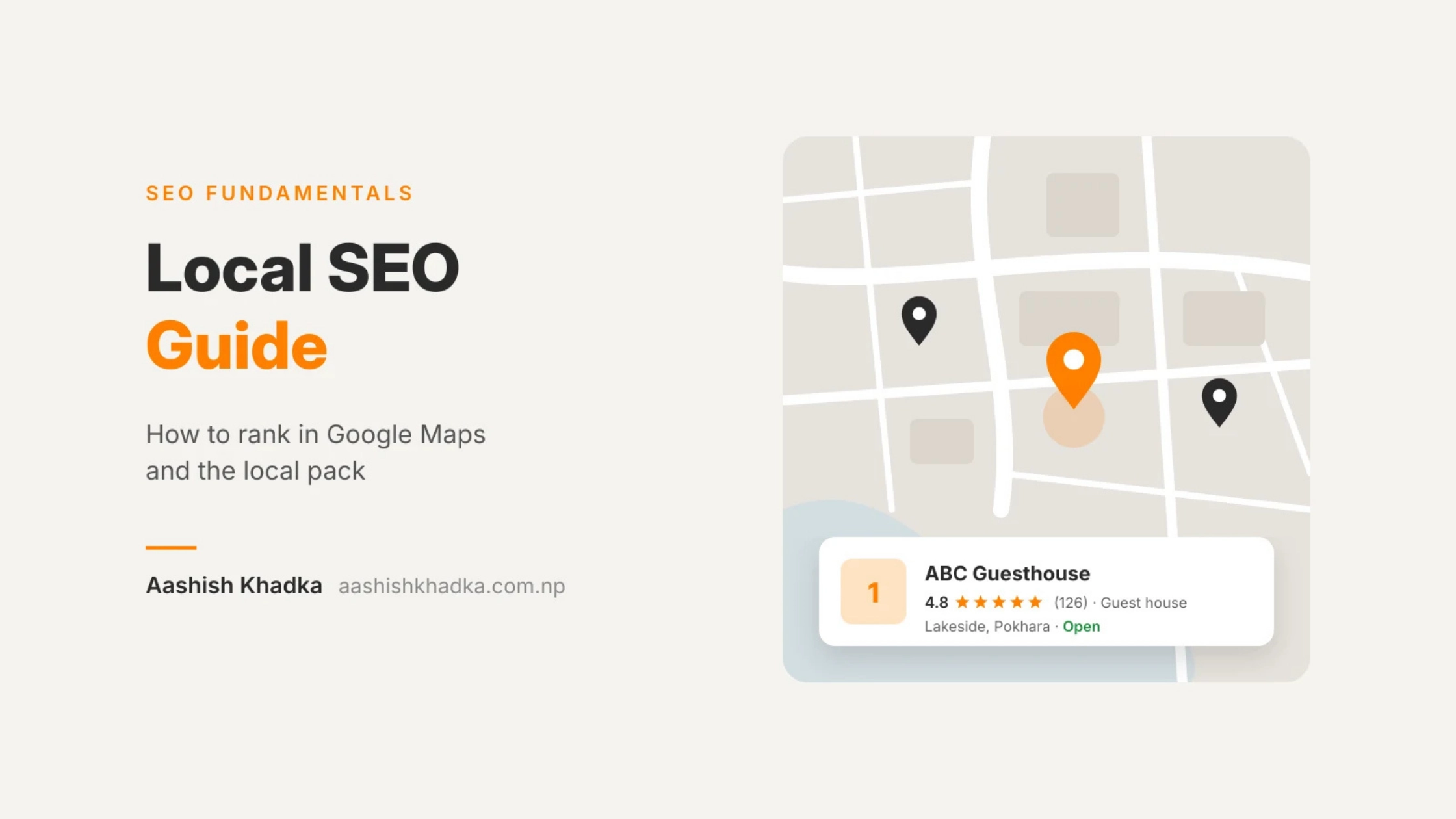
Search "restaurant near me" or "dentist in Pokhara" and look at what appears first. Usually it's not a list of websites. It's a map with three businesses underneath, with their ratings, opening hours and a call button.
That box is called the local pack (or map pack), and for many local businesses it's the most valuable spot in all of Google. People see it, tap "Call" or "Directions", and walk in, often without ever visiting a website.
Local SEO is how you get into that box. In this guide, I'll explain how Google decides which businesses show up, then walk you through a complete setup checklist, with notes on what works differently in Nepal.
What is Local SEO (and Who Needs It)?
Local SEO is optimising your online presence so you appear when people search for businesses near them or in a specific place.
You need local SEO if… | Examples |
|---|---|
Customers visit your location | Restaurants, shops, clinics, gyms, hotels |
You visit customers in an area | Plumbers, electricians, cleaning services, tutors |
People search with a place name | "web designer Pokhara", "hotel in Lakeside" |
People search "near me" | "pharmacy near me", "momo near me" |
If you only sell online to customers anywhere, local SEO matters less. Focus on regular SEO instead. [What is SEO and How Does It Work?]
How Google Ranks Local Results: Relevance, Distance, Prominence
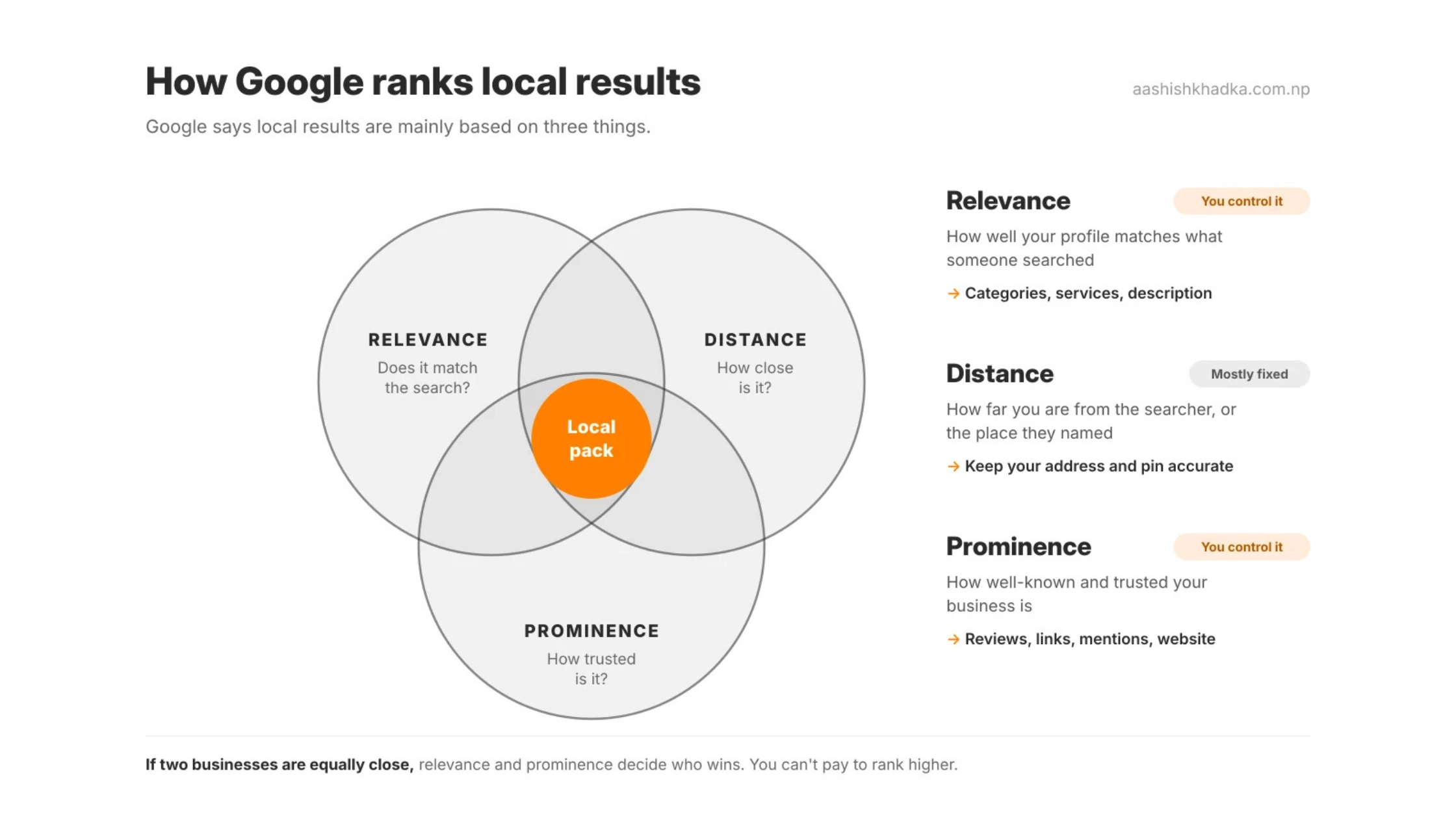
Google says local results are mainly based on three things:
Factor | What it means | What you can do |
|---|---|---|
Relevance | How well your profile matches what someone searched | Choose accurate categories, list your services, write a clear description |
Distance | How far your business is from the searcher, or the place they named | You can't change this, but you can make sure your location is accurate |
Prominence | How well-known and trusted your business is | Reviews, ratings, links, mentions, and a strong website |
This explains a lot. A business across the street might outrank you because it's closer to the searcher. But if you're both nearby, relevance and prominence decide who wins, and those are the parts you control.
Good to know: Google is clear that you can't pay to rank higher in local results. Ads can appear there, but they're labelled as ads.
Step 1: Set Up Your Google Business Profile Properly
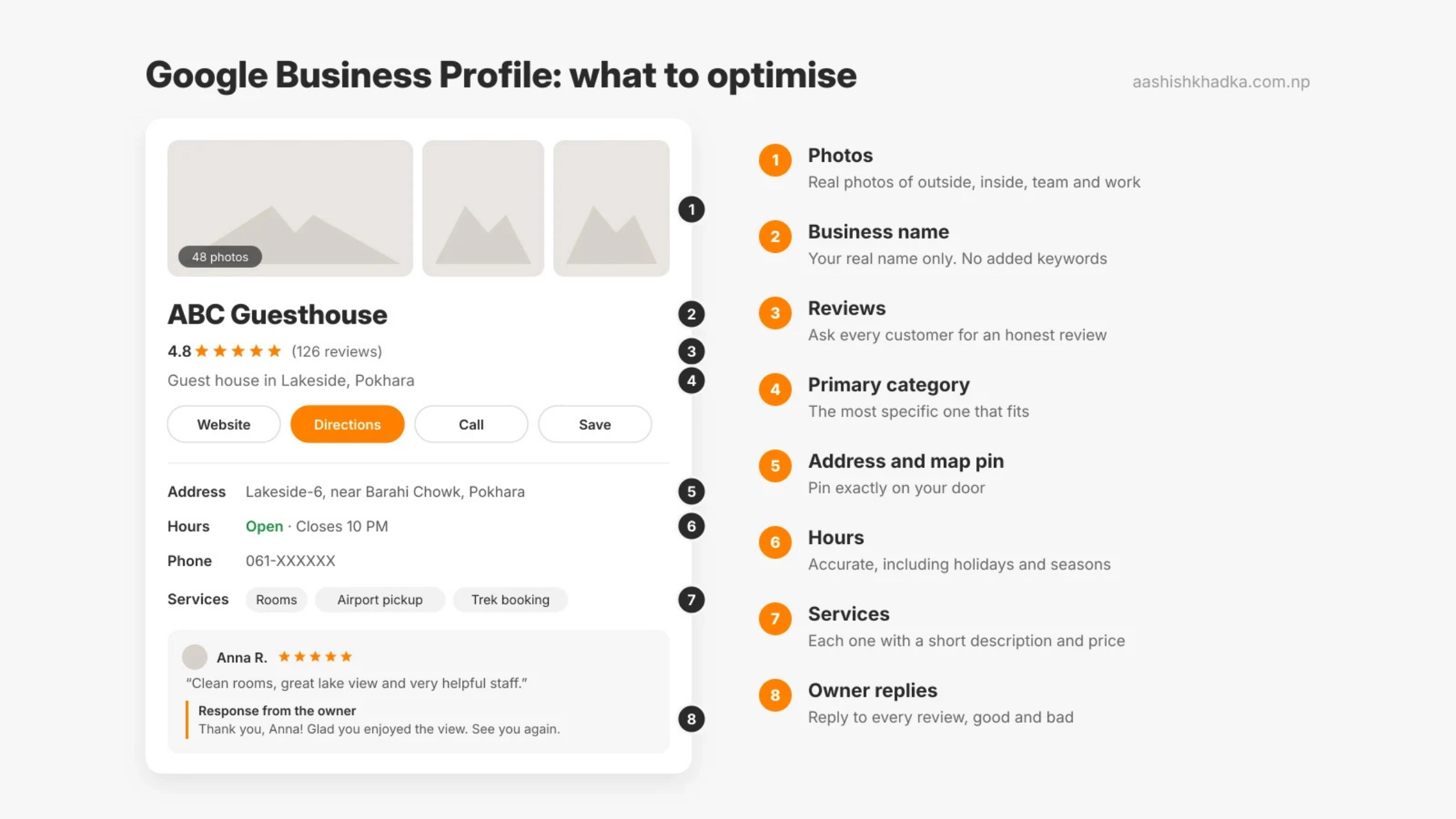
Your Google Business Profile (GBP, formerly Google My Business) is the free listing that appears in Maps and the local pack. It's the foundation of local SEO.
Claim and verify your profile
Search for your business on Google Maps. If it already exists, claim it; if not, create it at business.google.com. Google will then ask you to verify that you're the real owner. The options it offers (such as video, phone, email or postcard) depend on your business and location, and you can't choose them yourself.
Fill in every section, accurately
Section | Do this | Avoid this |
|---|---|---|
Business name | Your real business name, exactly as on your signboard | Adding keywords: "ABC Hotel – Best Cheap Hotel Lakeside Pokhara" |
Primary category | The most specific one that describes your main business | A broad category like "Business" or one that doesn't fit |
Extra categories | A few that genuinely describe other things you do | Adding every category you can find |
Address or service area | Your real, staffed address, or a service area if you go to customers | A virtual office or an address you don't operate from |
Phone and website | A working local number and your main website | A number nobody answers |
Hours | Accurate hours, including holidays and seasonal changes | Leaving old hours after things change |
Description | What you do, who you serve, what makes you different, in plain words | Keyword lists |
Services or products | List each one with a short description and price where possible | Leaving this empty |
Photos | Real photos: outside, inside, team, work, products | Only a logo, or stock photos |
Storefront or service-area business?
This trips people up, so here's the simple rule:
Your situation | Set it up as |
|---|---|
Customers come to your staffed location (shop, clinic, hotel) | Storefront: show your address |
You go to customers and they don't come to you (plumber, tutor, home services) | Service-area business: hide your address, list the areas you serve |
Both | Show the address and add your service areas |
Notes for businesses in Nepal
A few things work differently here:
Addresses are often landmark-based. Many streets have no official name or number. Write your address the way locals give directions (area, nearest landmark, ward) and make sure the map pin is exactly on your door, because people will follow the pin, not the text.
Plus Codes help. Google Maps can generate a short Plus Code for any location. It's useful when there's no clear street address.
Verification can take patience. Available methods vary, and some businesses wait longer than expected. Keep your details consistent everywhere while you wait.
Mixed-language searches. Customers may search in English, Romanized Nepali or Nepali. Your services list and description can naturally include the words people actually use.
Step 2: Get Reviews the Right Way
Reviews feed prominence and help customers decide. But Google has clear rules, and breaking them can get reviews removed or your profile restricted.
Allowed | Not allowed |
|---|---|
Asking every customer for an honest review | Asking only happy customers ("review gating") |
Sending a direct review link by WhatsApp, email or a QR card | Offering discounts, gifts or rewards for reviews |
Reminding customers politely once | Writing reviews yourself or paying for them |
Replying to every review, good and bad | Asking staff or family to post reviews |
How to ask (simple script)
"Thank you for visiting! If you have a minute, an honest review on Google really helps a small business like ours. Here's the link: [your review link]"
The best moment is right after a good experience: at checkout, at the end of a trek, or when you deliver the work.
How to reply
Positive review: thank them by name and mention something specific.
Negative review: stay calm, apologise for the experience, explain what you'll do, and offer to continue the conversation privately. Future customers read your replies too.
Step 3: Make Your Website Support Your Local Presence
Your Google profile and website work together. Google uses your website to understand your business, and a strong site helps prominence.
Same details everywhere: your name, address and phone (NAP) should match your GBP exactly.
A clear page for each main service, mentioning the area you serve naturally.
A contact page with your address (or service area), phone, hours and an embedded map.
Local business schema to label your details for search engines. [Internal link: Schema Markup Explained]
Real local content: photos taken at your location, local landmarks, local customer stories.
If you serve several cities, create a page for each city only if you genuinely work there and can say something unique about it. Copy-paste pages with only the city name changed don't help and can hurt.
Step 4: Build Local Prominence
Method | Example |
|---|---|
Consistent citations | Same details on Facebook, Bing Places, Apple Business Connect and trusted local directories |
Local links | Chamber of commerce, local associations, event sponsorships, partner businesses |
Local press | A local news site covering your launch, event or research |
Community presence | Being active and helpful in local Facebook groups |
More ways to build authority are in my off-page SEO guide. [Off-Page SEO: 9 Ways to Build Authority]
Local SEO Mistakes That Hurt Rankings
Mistake | Why it hurts |
|---|---|
Keywords stuffed into the business name | Breaks Google's guidelines; profiles can be suspended or edited by others |
Using a virtual office or fake address | Against the rules and risky |
Duplicate profiles for the same business | Splits reviews and confuses Google |
Inconsistent name, address or phone across the web | Weakens trust in your details |
Wrong pin location | Customers get lost; Google may show you in the wrong area |
Ignoring reviews and questions | Looks inactive to both customers and Google |
Outdated hours | Frustrated customers and poor reviews |
How to Track Your Local SEO
Your Google Business Profile shows performance data. Check it monthly:
Metric | What it tells you |
|---|---|
Searches and views | How often your profile is seen |
Calls | People who called directly from Google |
Direction requests | People planning to visit |
Website clicks | People going to your site from your profile |
Search terms | The words people used to find you |
For seasonal businesses, compare with the same month last year rather than last month.
Your Local SEO Checklist
# | Task | Done? |
|---|---|---|
1 | Claim and verify your Google Business Profile | ☐ |
2 | Real business name, no added keywords | ☐ |
3 | Most specific primary category, plus a few relevant extras | ☐ |
4 | Correct address or service area, pin on your door | ☐ |
5 | Hours, phone, website, description, services all filled | ☐ |
6 | At least 10 real photos, updated regularly | ☐ |
7 | Review link shared with every customer | ☐ |
8 | Every review replied to | ☐ |
9 | Same name, address and phone on website and listings | ☐ |
10 | Contact page with map and local business schema | ☐ |
11 | Listed on Bing Places and Apple Business Connect | ☐ |
12 | Monthly check of profile performance | ☐ |
FAQs About Local SEO
How long does local SEO take?
Profile fixes like categories, photos and hours can show results within a few weeks. Building enough reviews and prominence to beat established competitors usually takes a few months.
Can I rank in an area where I don't have an address?
In the local pack, distance matters a lot, so it's hard to show up far from your location. A service-area business can list the areas it serves, and your website can still rank in normal results for "[service] in [city]" with a genuinely useful page.
Do I need a website for local SEO?
You can appear in Maps without one, but a good website helps Google understand your business and improves prominence. It also gives customers more reasons to trust you.
Does the number of reviews matter?
Reviews help prominence, but quality, recency and your replies matter too. A steady flow of genuine reviews beats a sudden burst.
Why did my Google Business Profile get suspended?
Common reasons include keyword-stuffed names, ineligible addresses (like virtual offices), duplicate listings or suspicious edits. Fix the issue and follow Google's appeal process.
Key SEO Terms in This Post
Term | Meaning |
|---|---|
Local SEO | Optimising to appear in location-based searches |
Local pack / map pack | The map and top local businesses shown in Google results |
Google Business Profile (GBP) | Your free business listing on Google Search and Maps |
NAP | Name, Address, Phone: your core business details |
Citation | Any online listing of your NAP |
Service-area business | A business that serves customers at their location, with a hidden address |
Plus Code | A short location code from Google Maps for places without clear addresses |
Prominence | How well-known and trusted your business is online |
Wrapping Up
Local SEO is one of the fastest wins in SEO, because so much of it is in your hands: an accurate, complete Google Business Profile, a steady flow of honest reviews, and consistent details everywhere.
Start with the checklist above, then keep your profile active: new photos, fresh reviews, replies and updates. An active profile signals a real, active business.
Next in the series: how to write content Google trusts. [How to Write SEO Content Google Trusts]
Want help setting up or fixing your Google Business Profile? See my digital marketing Service in Pokhara.
Get in touch.